The best memory card readers depend on which cards you use and whether you connect through USB-A, USB-C or a phone. These picks cover everyday transfers, faster SD media, mobile use and legacy formats, so check card support and host compatibility before choosing.
Quick Top Products
SABRENT USB-C & USB-A SD/Micro SD Card Reader (CR-BCA2)

- Connects through either USB-C or USB-A.
- Supports SD and microSD formats through two slots.
- USB 3.0 supports transfers up to 5Gbps.
Best For: People who move SD and microSD files between newer USB-C and older USB-A devices.

SABRENT USB-C Card Reader (CR-CSDM)
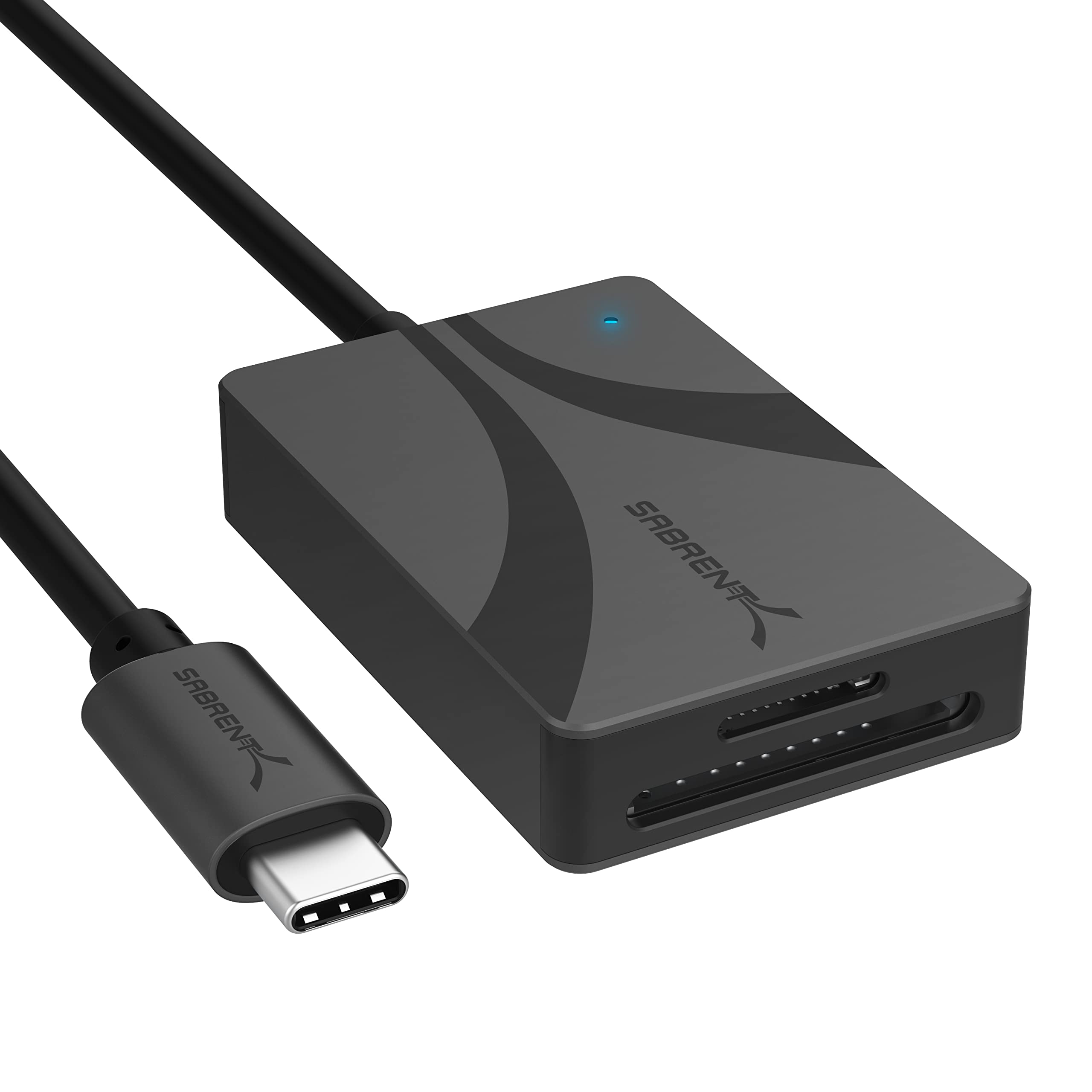
- Supports SD and microSD cards with speeds up to 312MBps.
- Allows simultaneous transfers through both slots.
- Has an integrated six-inch USB-C cable and bus-powered operation.
Best For: USB-C users with SD or microSD media who want simultaneous transfers and UHS-II support.
SMALLRIG SD/TF Dual-Slot Card Reader 4870
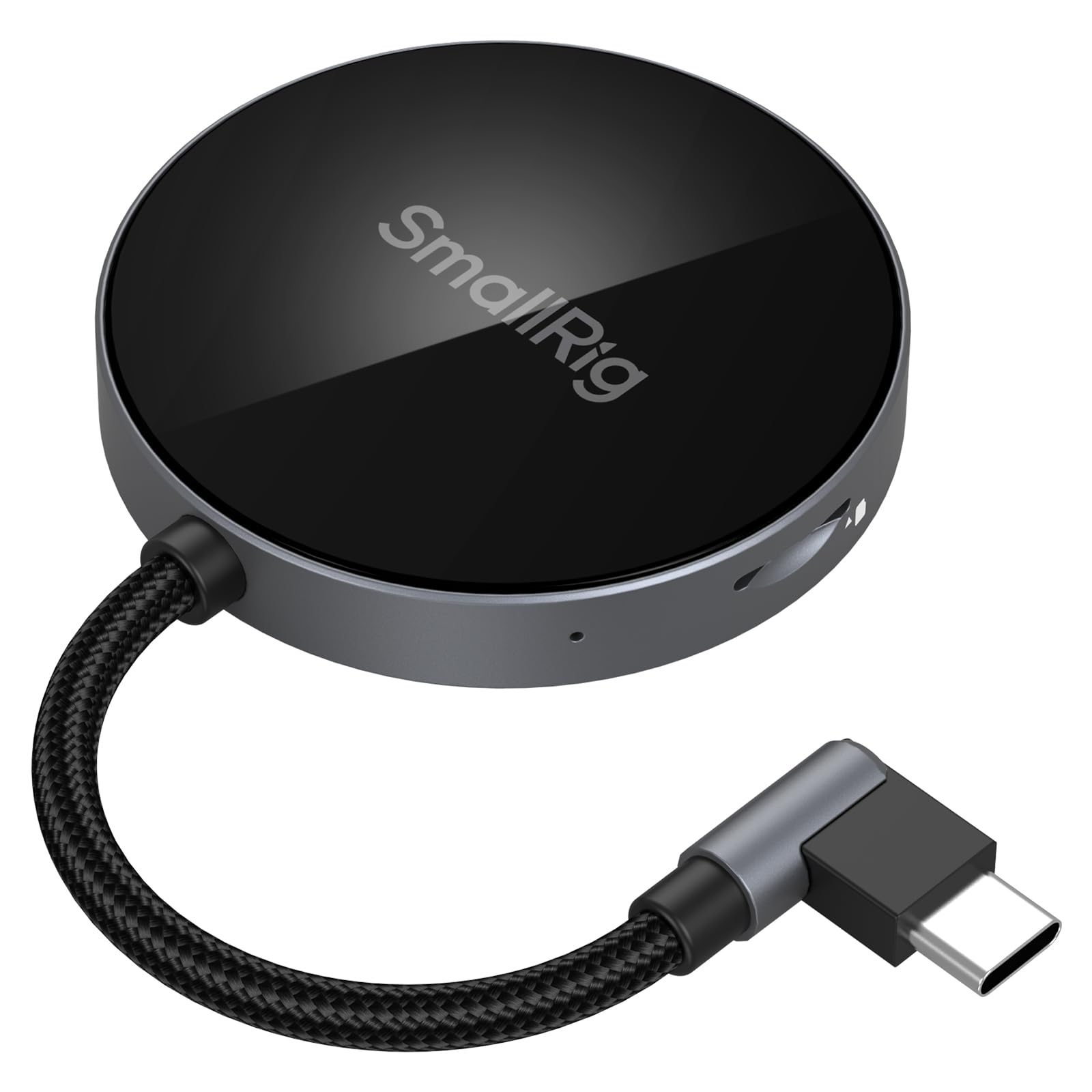
- Reads SD and TF cards through two slots at up to 312MB/s.
- Uses a 90-degree angled connector.
- Has magnetic attachment for listed phones.
Best For: People transferring SD or TF files to supported phones and tablets over USB-C.
SABRENT USB 3.0 Micro SD and SD Card Reader (CR-BYMS)
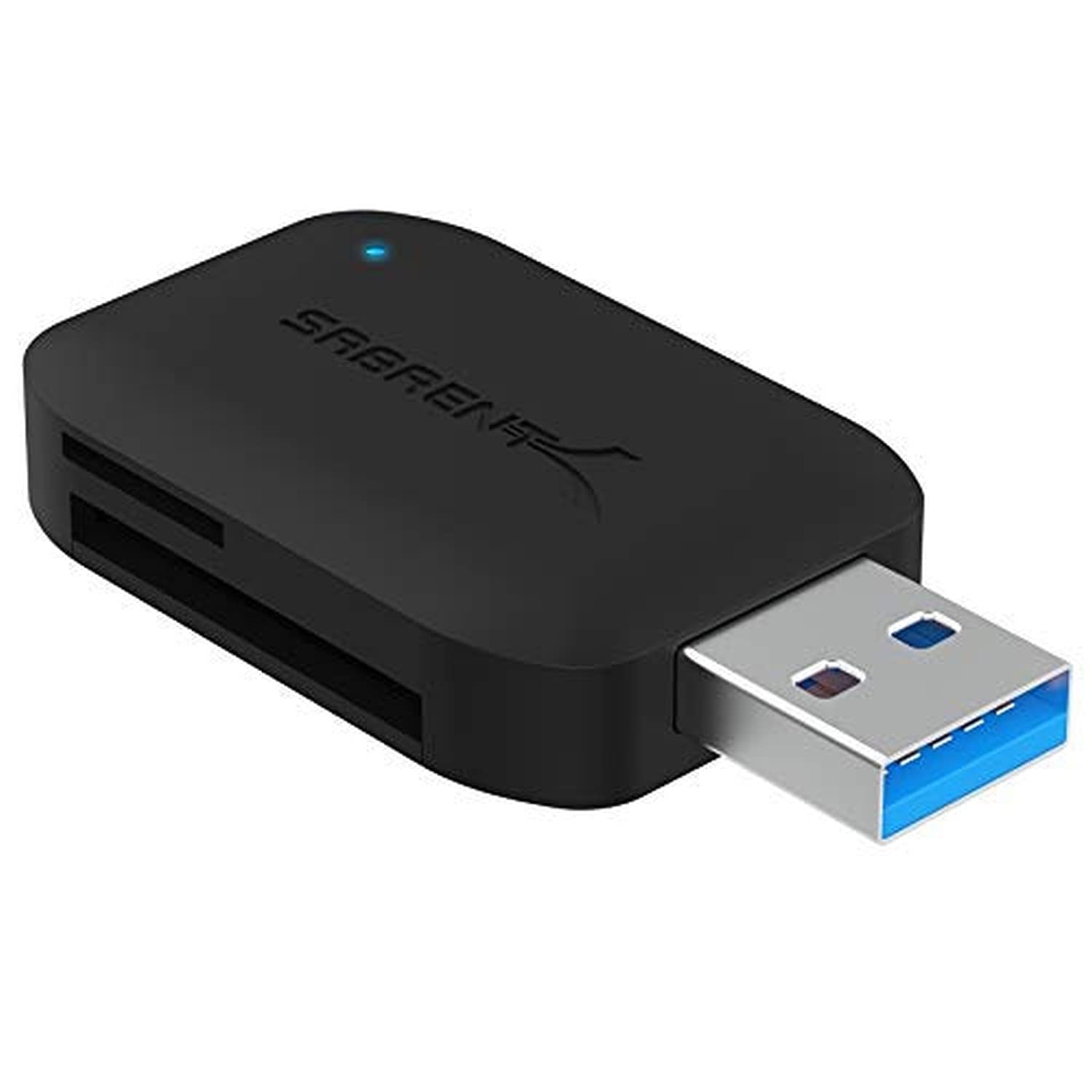
- Reads SD and microSD cards, including UHS-I cards.
- Supports reading two cards at once.
- USB 3.0 transfer rate is up to 5Gbps.
Best For: USB-A users who need a simple reader for SD and microSD cards, including UHS-I.
SABRENT SuperSpeed 2 Slot USB 3.0 Card Reader (CR-UMSS)
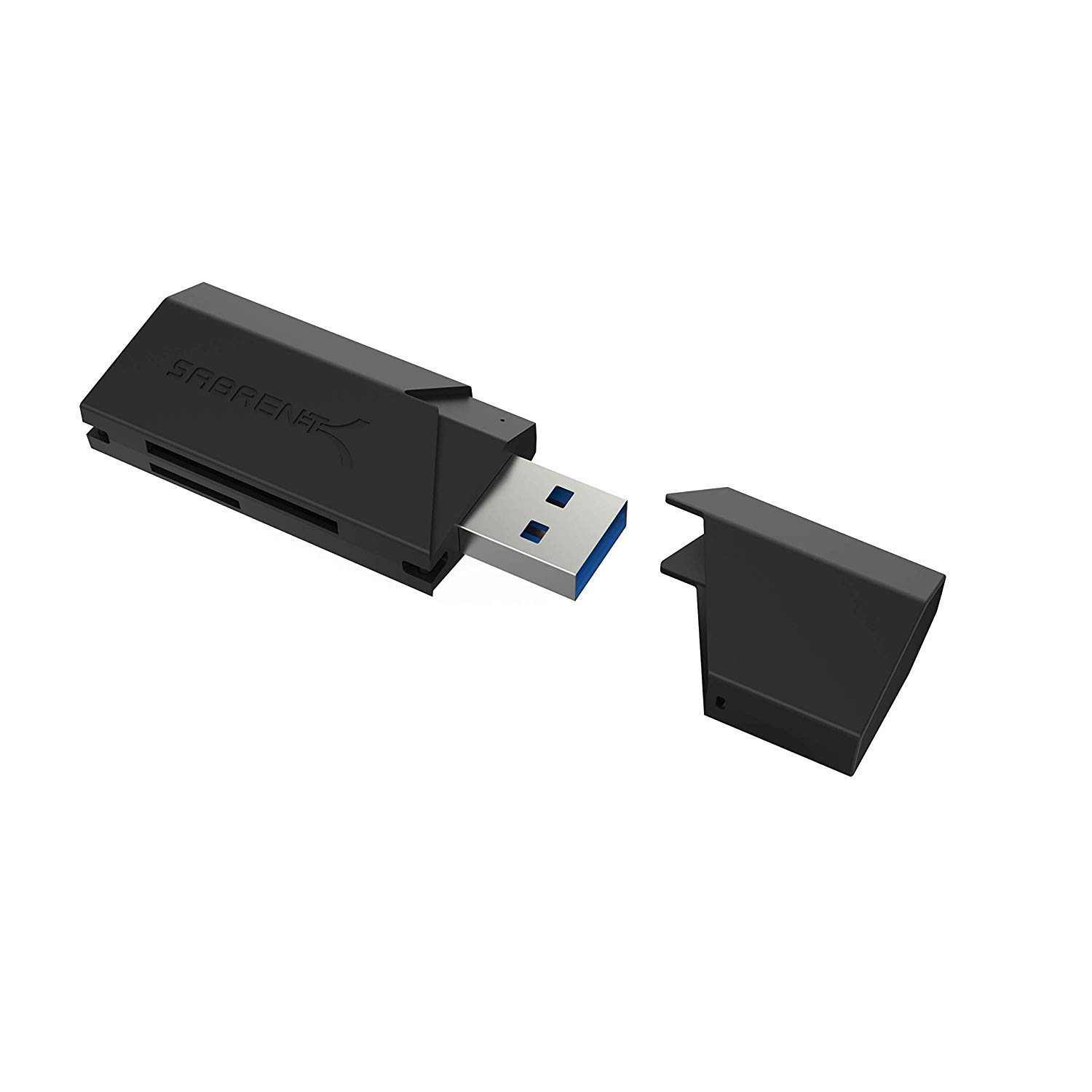
- Supports SD, SDHC, SDXC, MMC, microSD and T-Flash.
- Uses USB 3.0 and works with USB 2.0 hosts.
- Draws power from USB and needs no installation.
Best For: Buyers seeking a basic USB 3.0 reader for SD, microSD, MMC and T-Flash cards.
SABRENT 75-in-1 Multi Flash Media Reader/Writer (CRW-UINB)
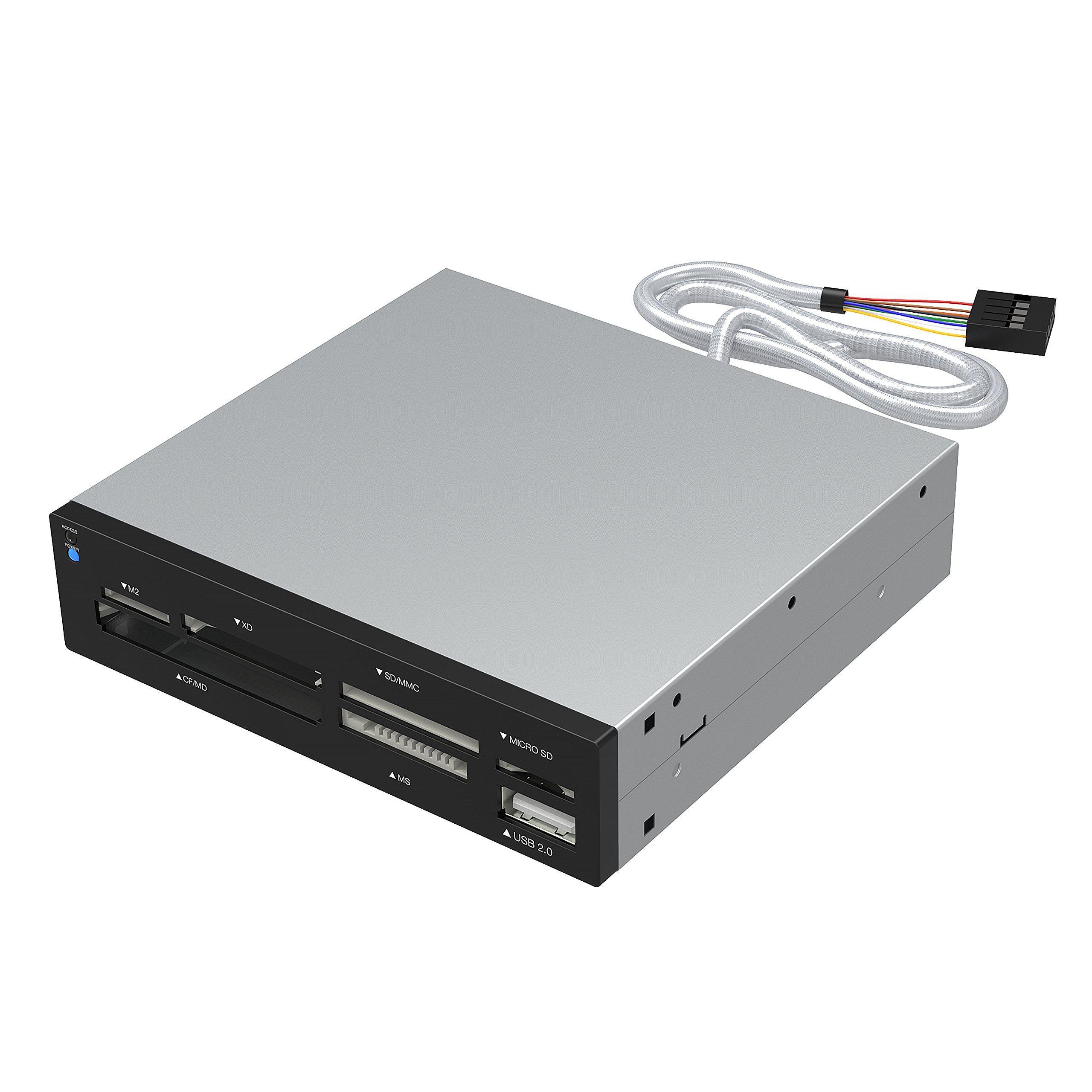
- Supports 74 different types of memory cards.
- Six slots cover formats including M2, XD, SD, microSD, CF and MS.
- Includes an additional USB 2.0 port.
Best For: People with a mix of older card formats who want many slots and an extra USB port.
SABRENT 74-in-1 Internal Flash Media Reader (CR-USNT)
- Designed as a 3.5-inch internal card reader.
- Six slots cover formats including M2, XD, SD, microSD, CF and MS.
- Includes a USB 2.0 port and internal power connector.
Best For: Desktop builders who want a 3.5-inch internal reader for many legacy card formats.
Muddy CRV3 HD SD Card Viewer
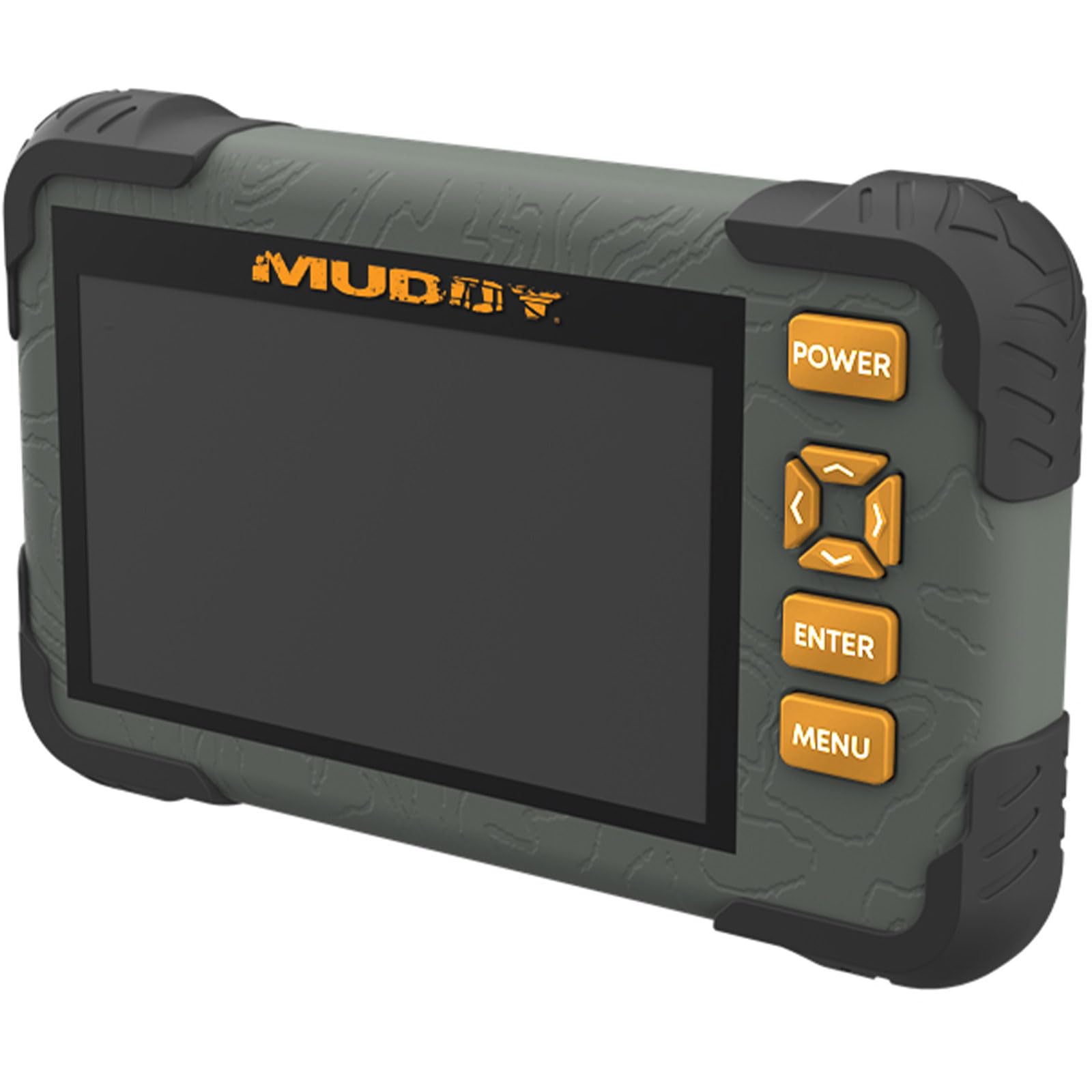
- Has a 4.3-inch color LCD screen.
- Supports an SD card slot up to 32GB.
- Provides 1080p video playback and a headphone jack.
Best For: Outdoor users who want to view SD-card photos and video on a screen without a computer.
Dual USB Connector
SABRENT SD Card Reader USB C & USB A, Micro SD Card Reader, USB 3.0 Dual Slot Memory Card Adapter for Laptop PC Android (CR-BCA2)
This Sabrent reader has both USB-C and USB-A connections, which makes it a flexible choice for moving camera or dash-cam files across different computers. Its two slots support SD and microSD formats, including SDXC and microSDXC, and the USB 3.0 interface supports transfers up to 5Gbps.
It is plug and play, needs no drivers, and has an activity light. The broad port choice is useful when a household has a mix of devices.
Check that your Android device is compatible if you plan to connect it to a phone; Android support is limited to compatible devices.
Best For: People who move SD and microSD files between newer USB-C and older USB-A devices.
| Pros | Cons |
|---|---|
|
|
Choose this model if you switch between USB-C and USB-A hosts and mainly read SD or microSD cards. Its dual connectors avoid carrying a separate adapter, while the two slots cover common camera and everyday card formats.
The 5Gbps figure is the interface's supported speed, so actual transfers also depend on the card and host. Before buying for a phone, confirm that your Android device supports external card readers; the stated compatibility is not universal.
UHS-II Transfer Support
SABRENT USB Type-C Card Reader, Dual-Slot UHS-II SDXC and microSDXC SD 4.0 (CR-CSDM)
The CR-CSDM is a USB-C reader for standard SD and microSD cards, with support for SDXC UHS-II media and speeds up to 312MBps. It can transfer through both slots simultaneously, which suits workflows that move files from two cards.
A built-in six-inch cable connects to USB-C devices, and the reader is bus-powered, so it needs no separate power supply. It is plug and play, with no driver installation.
Check your computer's operating system before choosing it: the listed support is Windows 8+ and macOS 12+, and older USB connections require conversion with speed limits applying.
Best For: USB-C users with SD or microSD media who want simultaneous transfers and UHS-II support.
| Pros | Cons |
|---|---|
|
|
Choose the CR-CSDM if you use USB-C and want a reader that supports UHS-II SDXC as well as microSD. Its simultaneous slots and integrated cable are useful for a two-card workflow without a separate power supply.
It is less flexible for hosts without USB-C, and the stated system support is specific. Confirm your operating system and connection before purchase, and remember that up to 312MBps describes the reader's supported transfer ceiling, not a guaranteed result for every card.
Angled Connector for Mobile Use
SMALLRIG SD/TF Dual-Slot Card Reader USB 4.0 312MB/s - 4870
The SMALLRIG 4870 combines a USB-C connector, two card slots and a 90-degree elbow design in a compact reader. It supports SD and TF, including microSD variants, and is rated for up to 312MB/s.
Its built-in magnet can attach to the backs of listed phone models for hands-free operation. Compatibility spans Windows, Mac, Linux, Android and HarmonyOS, with a long list of device families.
For Android phones and tablets, the file manager needs to run in the background during transfers to prevent the process from being interrupted. Confirm your exact device and card before buying.
Best For: People transferring SD or TF files to supported phones and tablets over USB-C.
| Pros | Cons |
|---|---|
|
|
Choose this reader if you want a direct USB-C connection for a phone or tablet and value the angled plug and magnetic attachment. Its operating system list is broad, but the magnetic phone feature names specific device families rather than promising universal attachment.
The notes also call out an Android background-process setting that matters during transfers. Check both the card format and exact host model before buying, especially if you expect to use the magnet or transfer from Android.
Compact Two-Slot USB-A Reader
SABRENT USB 3.0 Micro SD and SD Card Reader (CR-BYMS)
The CR-BYMS is a straightforward USB 3.0 reader for SD and microSD cards, including SDHC, SDXC and UHS-I cards. It has two slots and supports reading two cards simultaneously, which is handy when copying between cards or accessing both.
Its transfer rate is listed up to 5Gbps, with backward compatibility for USB 2.0 and 1.1. An LED indicates transfer activity, and the plug-and-play design needs no driver CD.
Compatibility notes name Windows and Mac OS X 10 or higher. Check that your host has a usable USB connection, since this model does not specify USB-C support.
Best For: USB-A users who need a simple reader for SD and microSD cards, including UHS-I.
| Pros | Cons |
|---|---|
|
|
This is a practical pick for a computer user with common SD and microSD cards who wants two slots and a simple USB 3.0 connection. Simultaneous reading is useful when working with two cards, and the reader is backward compatible with older USB versions.
The product details name Windows and Mac OS X compatibility but do not specify a USB-C connector. Check the port on your computer and confirm that your workflow needs SD or microSD rather than another card family.
Simple Plug-and-Play SD Reader
SABRENT SuperSpeed 2 Slot USB 3.0 Flash Memory Card Reader for Windows, Mac, Linux, and Certain Android Systems Supports SD, SDHC, SDXC, MMC/MicroSD, T Flash [Black] (CR-UMSS)
The CR-UMSS is a two-slot USB 3.0 reader for SD, SDHC, SDXC, MMC, microSD and T-Flash cards. It draws power from the USB port, so there is no separate power supply to set up, and plug-and-play operation avoids installation.
USB 2.0 hosts are supported as well, making it suitable for older computers when a USB 3.0 port is unavailable. The title names Windows, Mac, Linux and certain Android systems, so phone compatibility is limited.
Check your device's port and operating system, particularly if using Android, before choosing this basic card-format-focused option.
Best For: Buyers seeking a basic USB 3.0 reader for SD, microSD, MMC and T-Flash cards.
| Pros | Cons |
|---|---|
|
|
Choose this reader if its listed SD, microSD, MMC and T-Flash formats cover your cards and you want a USB-powered plug-and-play option. Its USB 2.0 backward compatibility helps with older hosts, while the title names several desktop operating systems.
The Android qualification is narrow, so verify device support rather than assuming any phone will work. A transfer rate is not provided in the product details, which makes this a less specific choice for buyers selecting by speed.
Broad Legacy-Format Coverage
SABRENT 75 in 1 Multi Flash Media Card Reader/Writer(with Power Cord) (CRW-UINB)
This desktop-style Sabrent reader is designed for a wide range of flash media, with six reader slots that cover formats including M2, XD, SD, SDHC, SDXC, MMC, microSD, CompactFlash, MD and Memory Stick. Some card types may need an adapter.
It also includes a USB 2.0 port and an internal power connector intended to supply sufficient power to external USB devices. Its operating system list includes older Windows versions, Linux and Mac OS X.
Choose it when legacy-format breadth matters more than a compact travel reader, and check whether your particular card needs an adapter.
Best For: People with a mix of older card formats who want many slots and an extra USB port.
| Pros | Cons |
|---|---|
|
|
Pick this model if your card collection includes formats beyond SD and microSD, such as M2, XD, CompactFlash or Memory Stick. Its six slots and extra USB 2.0 port suit a desk with varied media, but adapters may be necessary for some cards.
The operating system list includes older versions, so confirm support for your current setup before buying. Transfer speed is not specified, making this a format-coverage choice rather than a speed-focused reader.
Internal Desktop Bay Reader
SABRENT 74 in 1 3.5 Inch Internal Flash Media Card Reader/Writer with USB Port (CR-USNT)
The CR-USNT is a 3.5-inch internal flash media reader and writer intended for a desktop installation. Its six slots support a wide collection of formats, including M2, XD, SD, SDHC, SDXC, MMC, microSD, CompactFlash, MD and Memory Stick; some cards may require an adapter.
It also provides a USB 2.0 port and an internal power connector for the hub. This is a fit for a desktop build where an installed bay reader is more useful than a portable USB accessory.
Check that your case and system connections suit the internal format before purchasing.
Best For: Desktop builders who want a 3.5-inch internal reader for many legacy card formats.
| Pros | Cons |
|---|---|
|
|
Choose the CR-USNT if you are fitting a compatible desktop and want card slots built into the case rather than carrying an external reader. It covers many formats and includes an extra USB 2.0 port, but its 3.5-inch internal design makes it unsuitable as a general portable pick.
Verify your case's available bay and internal connections before purchase. The broad card support is useful for mixed media, while transfer speed is not specified.
Standalone Card Viewer
Muddy CRV3 HD SD Card Viewer - Durable Water-Resistant Hunting Outdoor SD Card Reader/Viewer with 4.3" LCD Screen & Headphone Jack for Audio - Supports up to 32GB
The Muddy CRV3 combines an SD card slot with a 4.3-inch color LCD for on-device viewing. It supports cards up to 32GB and has 1080p video playback, an intuitive menu and a headphone jack for audio.
This makes it a distinct option for someone who wants to review media in the field instead of connecting a card reader to a computer. The product is described as water-resistant, which can matter outdoors, but no degree of protection is specified.
Check your card capacity and the device's actual weather-protection needs before buying.
Best For: Outdoor users who want to view SD-card photos and video on a screen without a computer.
| Pros | Cons |
|---|---|
|
|
Choose the CRV3 if your main goal is reviewing SD-card media outdoors on its own screen, rather than transferring files to a computer. The LCD, 1080p playback and headphone jack make it a viewer as well as a reader.
Its card support is specified up to 32GB, so check the capacity of your media before buying. Water resistance is a useful feature for outdoor use, but the protection level is not specified, so do not assume it can handle immersion or heavy exposure.
How to Choose Memory Card Readers
How We Picked Memory Card Readers
This selection covers different memory card reader jobs: everyday SD and microSD transfers, USB-C connections, support for UHS-II cards, mobile file access, broad legacy-format coverage, desktop installation and standalone field viewing. Each product has a clear use within the category, rather than representing a second color or a bundled accessory.
Card compatibility and host connection shape the shortlist. Some readers focus on SD and microSD, while the 75-in-1 models also cover formats such as M2, XD, CompactFlash and Memory Stick.
Port choice matters too: USB-C, USB-A and an internal desktop connection serve different devices.
Comparing Memory Card Readers
The main difference is the balance between card breadth, connection type and use setting. The Sabrent CR-BCA2 offers both USB-C and USB-A for common SD and microSD cards.
The CR-CSDM and SMALLRIG 4870 add support for transfer speeds up to 312MBps, with USB-C connections and different workflows: one has simultaneous SD and microSD slots with an integrated cable, while the other has an angled plug and magnetic phone attachment.
For older or varied media, the external CRW-UINB and internal CR-USNT cover many formats, but their transfer speeds are not specified and some cards may need an adapter. The CR-USNT is meant for a 3.5-inch desktop bay.
The Muddy CRV3 serves a different purpose: it displays SD-card video and images on its own screen, with support up to 32GB.
| Product | Standout features | Best for |
|---|---|---|
| SABRENT USB-C & USB-A SD/Micro SD Card Reader (CR-BCA2)Check Price |
| People who move SD and microSD files between newer USB-C and older USB-A devices. |
| SABRENT USB-C Card Reader (CR-CSDM)Check Price |
| USB-C users with SD or microSD media who want simultaneous transfers and UHS-II support. |
| SMALLRIG SD/TF Dual-Slot Card Reader 4870Check Price |
| People transferring SD or TF files to supported phones and tablets over USB-C. |
| SABRENT USB 3.0 Micro SD and SD Card Reader (CR-BYMS)Check Price |
| USB-A users who need a simple reader for SD and microSD cards, including UHS-I. |
| SABRENT SuperSpeed 2 Slot USB 3.0 Card Reader (CR-UMSS)Check Price |
| Buyers seeking a basic USB 3.0 reader for SD, microSD, MMC and T-Flash cards. |
| SABRENT 75-in-1 Multi Flash Media Reader/Writer (CRW-UINB)Check Price |
| People with a mix of older card formats who want many slots and an extra USB port. |
| SABRENT 74-in-1 Internal Flash Media Reader (CR-USNT)Check Price |
| Desktop builders who want a 3.5-inch internal reader for many legacy card formats. |
| Muddy CRV3 HD SD Card ViewerCheck Price |
| Outdoor users who want to view SD-card photos and video on a screen without a computer. |
Choosing a Memory Card Reader for Your Devices
Start with the host connection. A USB-A-only computer can use readers with that connector, while newer phones and tablets often need USB-C; the CR-BCA2 has both types.
The SMALLRIG model names broad operating-system support, but its magnetic attachment applies to selected phone families. Confirm the exact device before treating a reader as a phone accessory.
Then match card formats. SD and microSD cover many cameras and everyday devices, but older equipment may use M2, XD, CompactFlash or Memory Stick.
The multi-format Sabrent models cover more types, with adapters needed for some cards. For an internal desktop card reader, confirm that the case has a suitable 3.5-inch bay and connections.
Transfer Speed, Slots and On-Device Viewing
Speed ratings help compare reader capabilities, but the card and host connection also affect file-transfer time. The Sabrent CR-CSDM supports up to 312MBps for UHS-II SDXC media, and the SMALLRIG 4870 is rated up to 312MB/s.
Other models list USB 3.0 transfer speeds up to 5Gbps, while the broad-format readers provide no transfer-rate figure. These figures describe supported interfaces; they do not guarantee that every card reaches the maximum.
Think about whether you need one card at a time or two slots available together. The CR-CSDM supports simultaneous transfers through both slots, and the CR-BYMS supports reading two cards simultaneously.
If your goal is to review footage without a computer, the Muddy viewer's 4.3-inch screen, 1080p playback and headphone jack may matter more than a computer-focused speed rating.
Who Should Buy Which Memory Card Reader
Choose the CR-BCA2 for common SD and microSD cards across USB-C and USB-A devices. Choose the CR-CSDM if you need UHS-II support and simultaneous transfers through a USB-C connection.
The SMALLRIG 4870 fits phone-focused transfers where the angled plug or magnetic attachment suits your listed device.
Choose the CR-BYMS for a simple two-slot reader with common card formats, and the CR-UMSS for USB-powered plug-and-play use with SD, microSD, MMC or T-Flash. For a collection of older formats, consider the CRW-UINB external reader or the CR-USNT desktop bay reader after checking adapter needs and computer fit.
The Muddy CRV3 is for field viewing from SD cards up to 32GB.